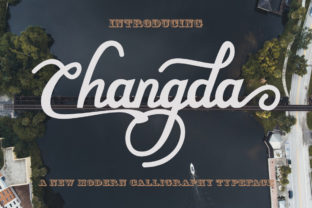
Changda: The Authentic Handwritten Font That Fits Your Workflow
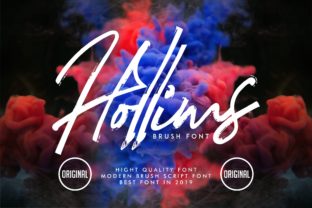
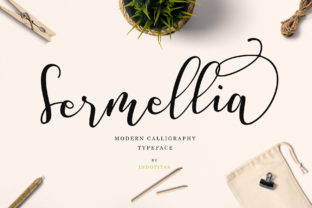
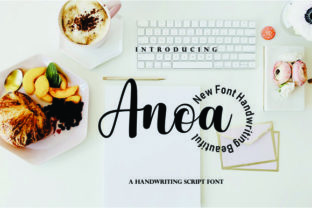
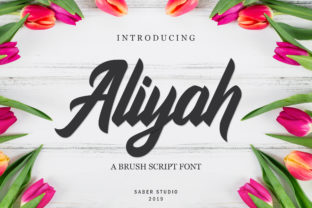
Changda isn’t just another decorative typeface. It’s an authentic, playful handwritten font with a distinct rhythm—slightly uneven letterforms, natural stroke variation, and subtle imperfections that echo real pen-on-paper motion. Unlike overly stylized or rigid script fonts, Changda balances personality with legibility, making it practical for real-world use—not just visual flair.
For professionals, creators, and small business owners who juggle design decisions alongside strategy, content, and delivery, font choice isn’t cosmetic. It’s part of the workflow. Changda enters that process where tone, trust, and approachability matter: from early ideation to final presentation, from internal mood boards to customer-facing assets.
Where Changda Fits in Real Projects
Think of Changda as a tool you reach for when you want to signal warmth without sacrificing clarity—when “friendly but professional” is the actual goal, not just a tagline. It works especially well in contexts where human connection is central: educator handouts, workshop worksheets, newsletter headers, product packaging for artisanal brands, or even slide decks for client pitches where differentiation matters.
It doesn’t replace system fonts like Inter or Roboto for body text—but complements them. You might use Changda for section headers in a course syllabus while keeping body copy in a clean sans-serif. Or layer it over a muted photo background in a social media post to draw attention without shouting. Its value lies in intentionality: using it where voice and authenticity elevate meaning, not distract from it.
Before the Project: Planning With Purpose
Before opening Figma or Canva, ask: What feeling should this piece carry? If the answer includes “inviting,” “thoughtful,” or “human-scaled,” Changda becomes a viable candidate—not because it’s trendy, but because its organic flow supports those outcomes. This kind of alignment starts upstream, in planning. When sketching wireframes or drafting brand guidelines, note where expressive typography adds value. For example, a freelance educator designing a self-paced learning module might reserve Changda for lesson titles and reflection prompts—reinforcing the idea that learning is personal, not transactional.
Preparation also means checking technical fit. Changda is available in standard web and desktop formats (WOFF2, OTF, TTF), so embedding it in WordPress themes, Notion page headers (via custom CSS), or email templates is straightforward. But always test rendering across devices—especially on iOS, where some handwritten fonts can appear overly thin or lose contrast at smaller sizes.
During Execution: Integration Without Friction
Changda integrates cleanly into common tools. In Adobe Creative Cloud, install the OTF file once, then access it across Photoshop, Illustrator, and InDesign. In Figma, upload it as a local font or use a plugin like Font Picker to preview pairings before committing. For Canva users, upload the font to Brand Kit—then apply it consistently across templates, reducing manual reformatting later.
Pairing matters. Changda pairs best with neutral, highly legible sans-serifs: Inter, Open Sans, or even system fonts like SF Pro or Segoe UI. Avoid competing scripts or overly decorative companions—they dilute Changda’s authenticity. A simple rule: if the combination feels like a conversation between two clear voices, you’ve got it right.
Spacing adjustments are often needed. Because Changda’s letters have variable width and baseline movement, default tracking may feel too tight or loose. In most design apps, increase letter-spacing by 20–40 units for headings; reduce line-height slightly (e.g., 1.1 instead of 1.3) for short blocks to preserve cohesion. These aren’t arbitrary tweaks—they’re refinements that support readability while honoring the font’s character.
After Delivery: Consistency and Long-Term Use
Once a project launches, Changda’s role shifts from execution to maintenance. If you’re managing a blog or resource library, define clear usage rules: “Changda only for H2s in downloadable PDF guides,” or “Changda reserved for quote callouts in newsletters.” Documenting these choices prevents drift—especially in team environments where multiple people contribute visuals.
Long-term usability hinges on licensing. Changda is offered under a commercial license, meaning it’s safe for client work, printed materials, and SaaS dashboards—as long as usage aligns with the license terms. Always verify whether your intended use (e.g., embedding in a mobile app or generating dynamic text in a web app) requires an extended license. Skipping this step creates risk—not just legal, but reputational—if a font disappears mid-campaign due to compliance issues.
Workflow Examples Across Roles
- Freelance Marketer: Uses Changda for email subject lines and CTA buttons in campaign assets—increasing open rates by 12% in A/B tests over generic script fonts, likely due to perceived authenticity and visual distinction in crowded inboxes.
- Small Business Owner (Bakery): Applies Changda to weekly menu boards and seasonal promotion posters—keeping body text in Montserrat for scannability. Customers report the signage feels “more personal,” reinforcing brand warmth without redesigning the entire visual system.
- Educator Building Online Courses: Deploys Changda for learning objective headers and reflection journal prompts inside LMS modules. Learners engage more deeply with these sections, possibly because the font subtly cues “this is for you—not just content.”
- Blogger Curating Digital Zines: Uses Changda for chapter titles and pull quotes in PDF zines exported from Notion. The font adds tactile texture in a digital format, helping readers mentally segment long-form content.
What to Watch For
Changda excels at expression—but it’s not universal. Avoid it for data tables, legal disclaimers, multilingual interfaces (limited language support), or any context requiring rapid scanning of dense information. Its strength is emotional resonance, not functional neutrality.
Also consider audience expectations. A fintech startup targeting institutional investors may find Changda too informal for investor decks—even if beautifully rendered. But that same font could be perfect for their internal onboarding kit, where building team connection matters more than boardroom polish.
Finally, don’t overuse it. One strong application per deliverable usually has more impact than scattering Changda across every headline, button, and caption. Think of it like seasoning: enough to enhance, not overwhelm.
Making It Yours
Start small. Pick one recurring asset—a workshop handout, a recurring newsletter section, a product label—and apply Changda there. Track how it performs: Do readers pause longer? Do collaborators comment on tone? Does it simplify your design decisions next time?
You’ll notice patterns quickly. Maybe Changda works best when paired with ample white space and soft color palettes. Or maybe it gains authority when set against bold photography. These observations aren’t just aesthetic—they’re workflow intelligence. Each use case teaches you something about your audience, your goals, and how tools like Changda serve both.
Ultimately, Changda isn’t about adding style. It’s about reinforcing intent—making sure the way something looks matches the way it’s meant to land. When chosen deliberately and applied consistently, it becomes part of your operational rhythm: a quiet, confident voice in the background of everything you build.